Copy-paste errors
A wrong roll number, class, date or exam centre can create confusion on exam day.
Excel / CSV Data → Personalised Admit Card PDFs
Create personalised admit cards and hall tickets for every student without editing each file manually. Upload Excel or CSV data, use a Word or Excel template, and generate separate PDFs in bulk with DataToPDF.
Quick answer
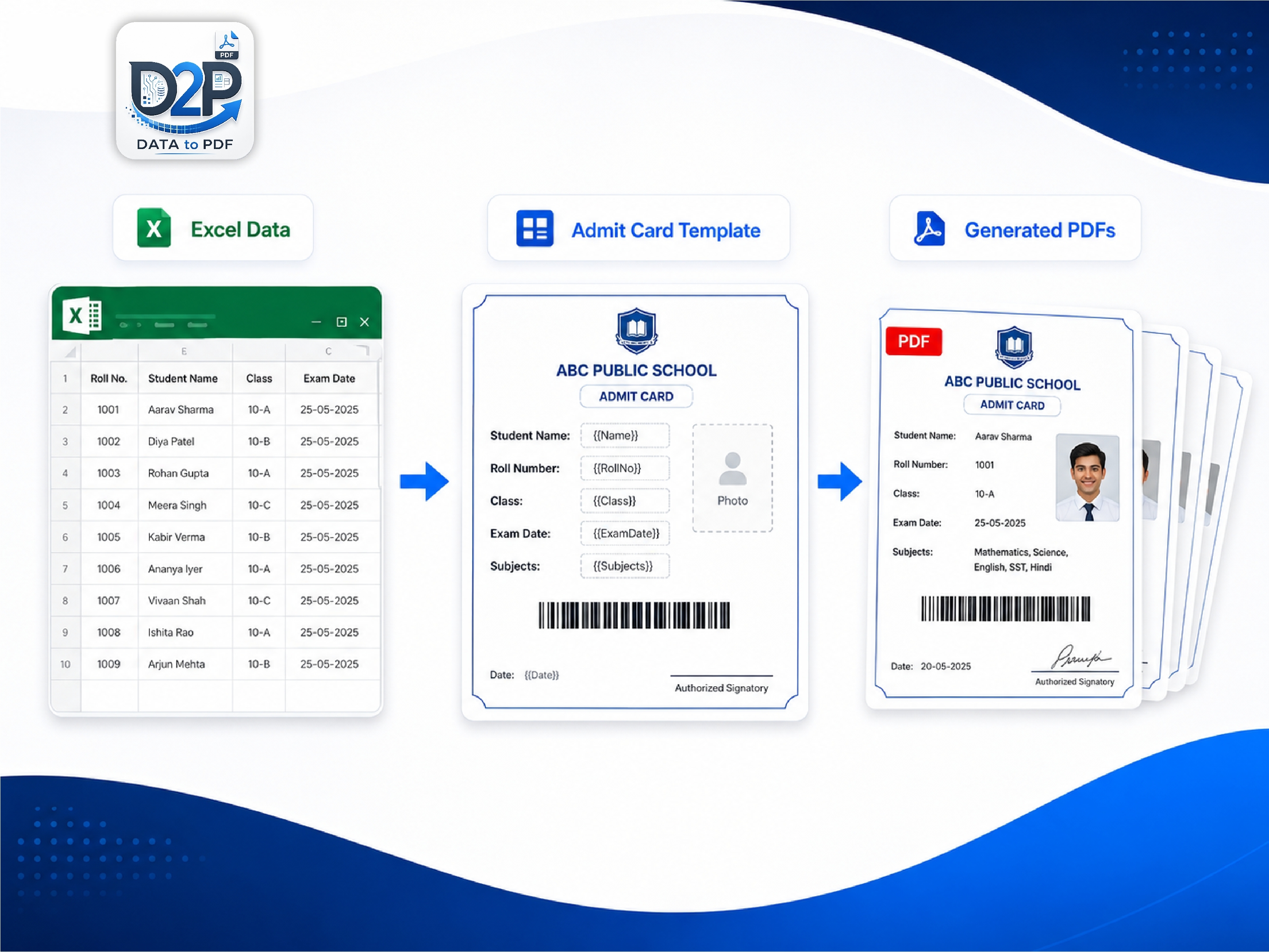
Keep one student per row in Excel or CSV. Create an admit card template with variables such as {{student_name}}, {{class}} and {{roll_number}}. Upload both files to DataToPDF and generate separate PDFs for every student.
The real problem
School office teams, coaching institutes and exam coordinators often have the same problem before every test: one design, but hundreds of students with different names, roll numbers, exam centres and reporting times.
A wrong roll number, class, date or exam centre can create confusion on exam day.
Opening, editing, saving and renaming every student document becomes exhausting.
When reporting time or centre changes, the whole process has to be repeated.
The manual method
Microsoft Word mail merge can work for simple situations, but it becomes difficult when you need individual print-ready PDFs, clean file names, changing exam details or reusable templates.
A better workflow
Keep your data in one spreadsheet. Keep your admit card design in one Word or Excel template. DataToPDF combines them to create a separate PDF for each student.
One row in Excel = one personalised admit card PDF.
Variables make the template reusable for every exam.
Generate and download files together in one ZIP.
Use student names, roll numbers or registration numbers in file names.
Step-by-step guide
This process works for schools, coaching centres, colleges, mock-test organisers, scholarship exams and recruitment tests.
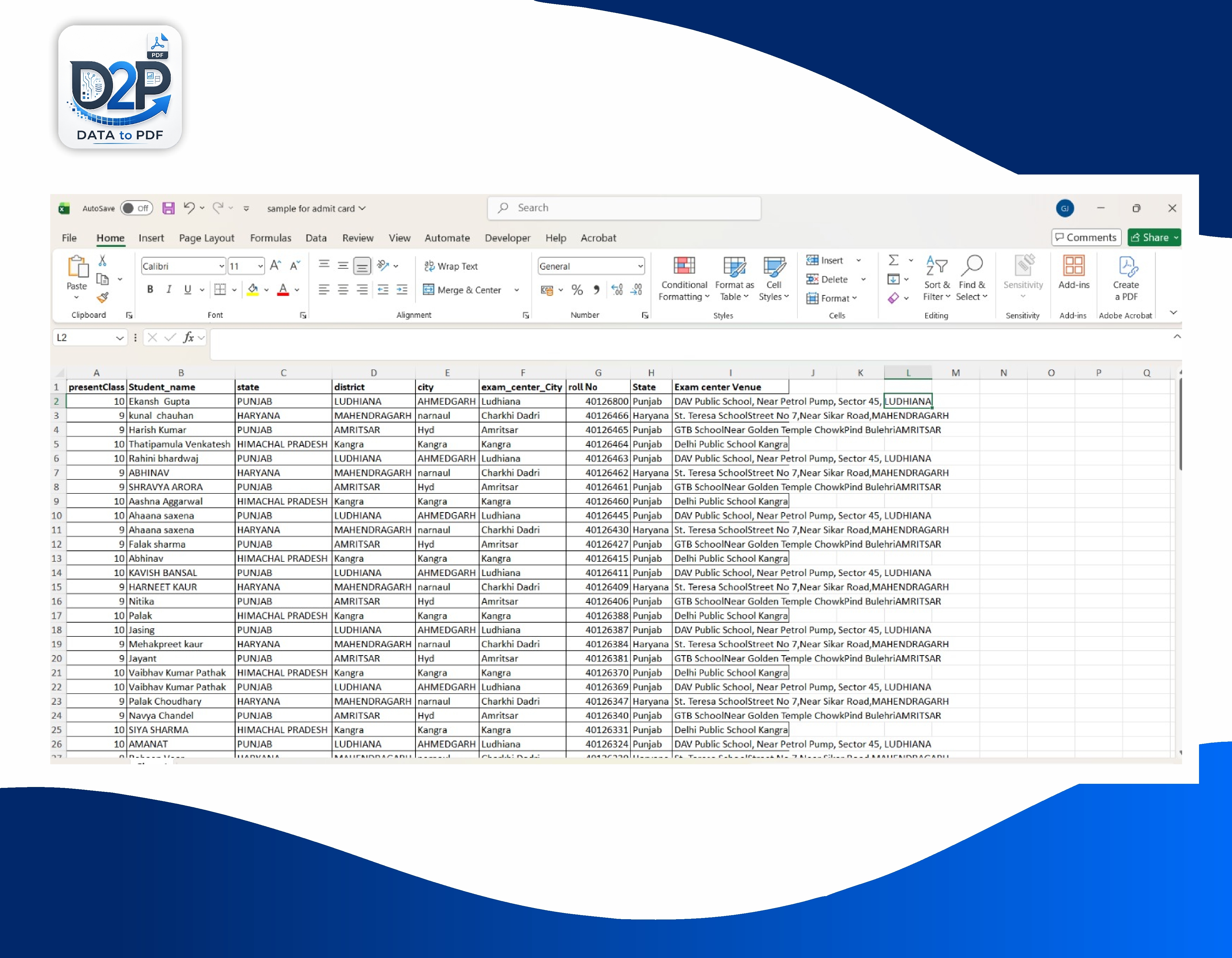
Create an Excel or CSV file with one row per student. Keep the first row as your column headings.
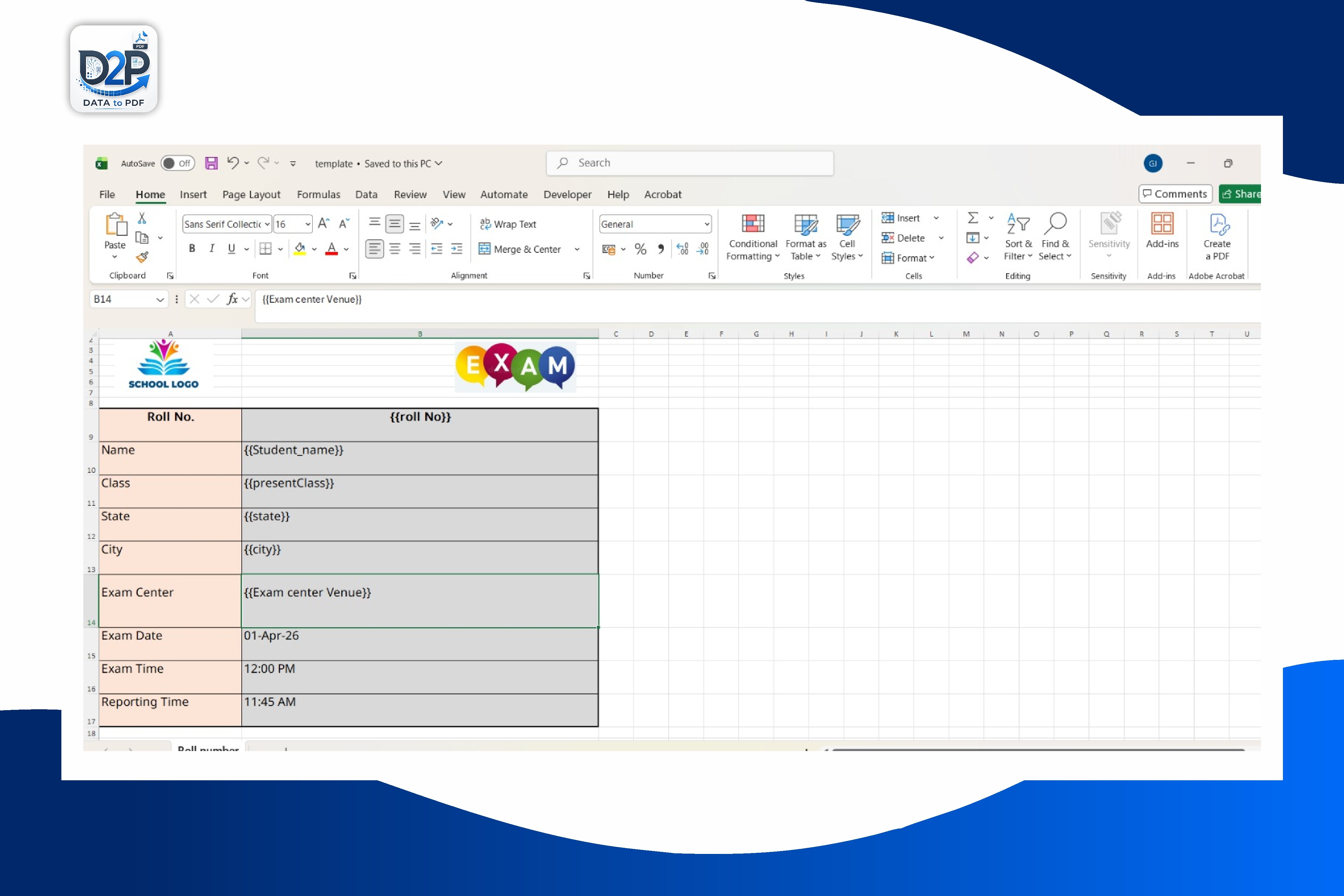
Use the sample Word template or create your own Word or Excel layout. Add variables such as {{student_name}}, {{class}} and {{roll_number}} wherever student details should appear.
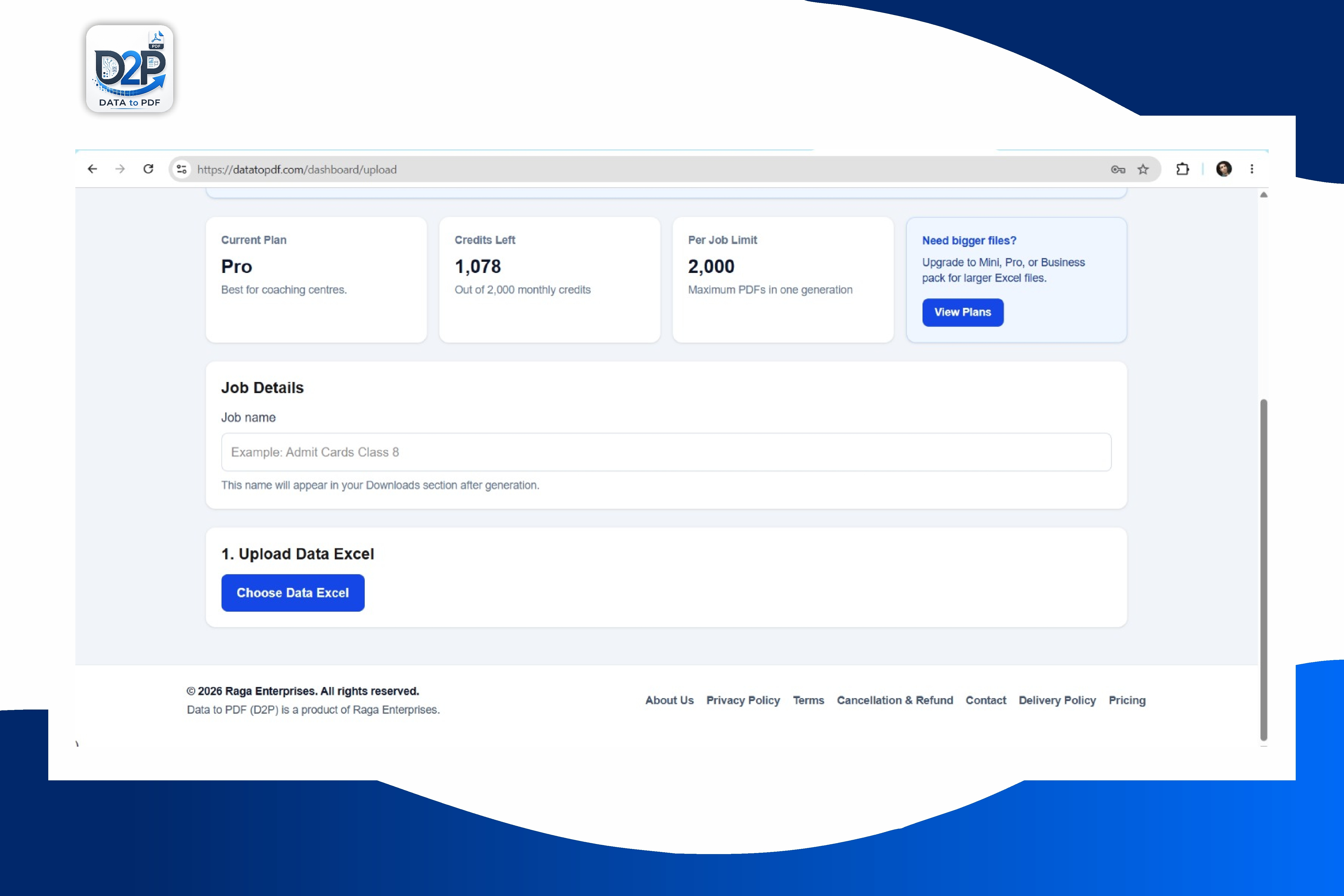
Open DataToPDF, upload your Excel or CSV data file and your Word or Excel admit card template.
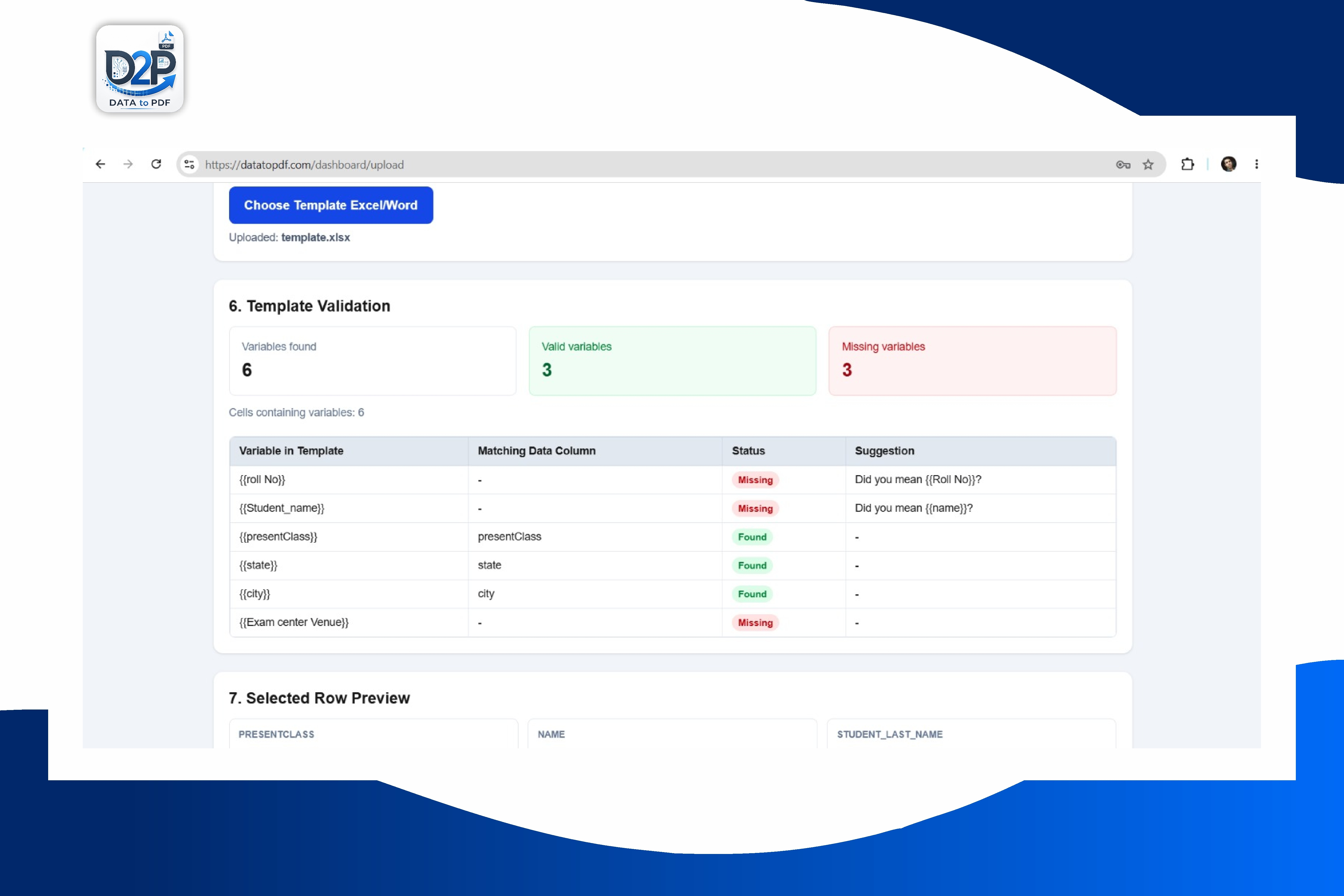
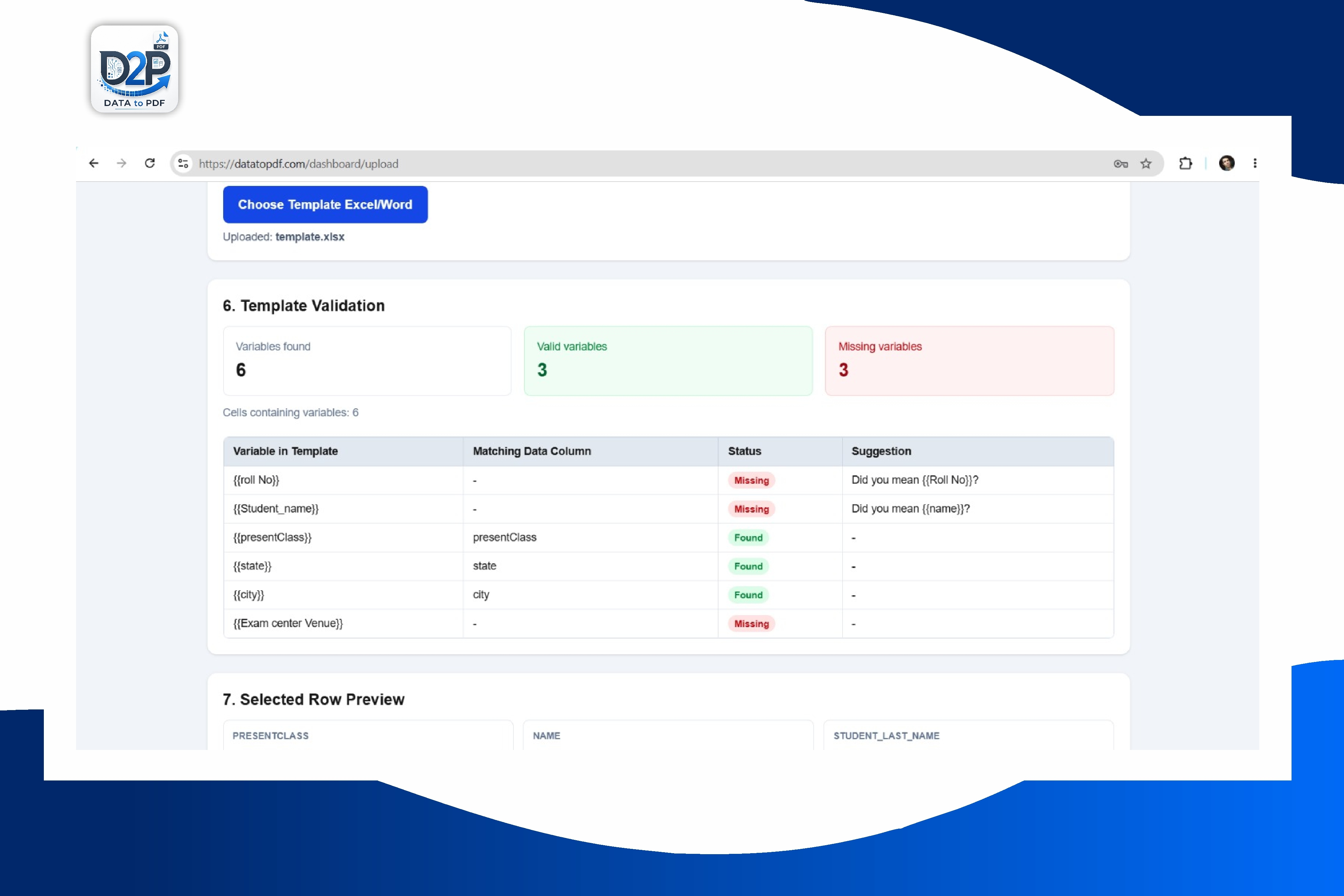
Check that your variables match the column names in the uploaded data. Generate one personalised admit card PDF for each student.
Download the generated admit card PDFs together. You can name files using student names, roll numbers or registration numbers.
Downloadable template
Download the sample Word template and Excel data sheet. Review how the variables work, replace the branding with your school or institute details, and use it for your next exam.
student_namefather_nameclasssectionroll_numberregistration_numberexam_nameexam_datereporting_timeexam_centre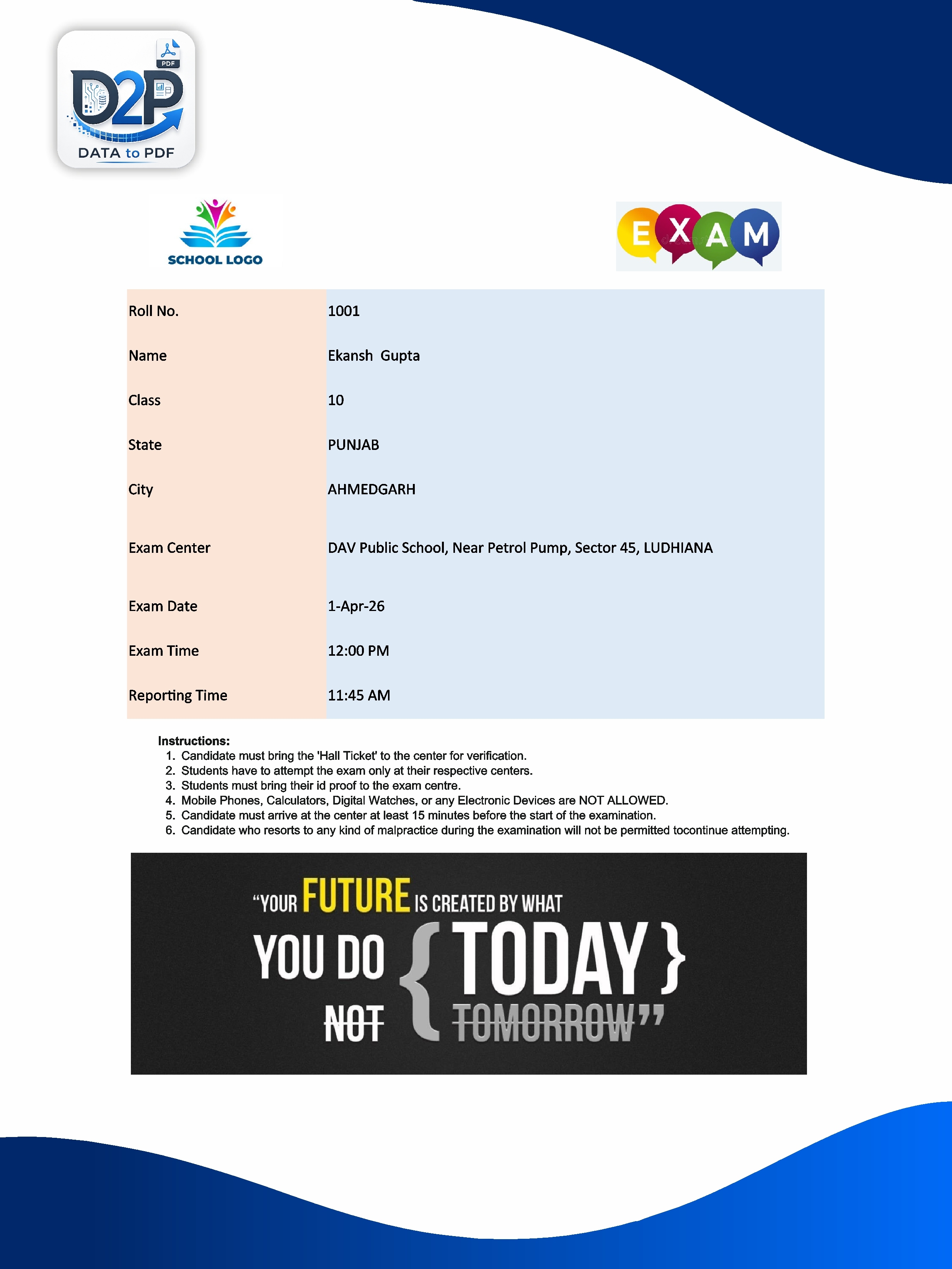
Use cases
Once you understand the Excel-to-template workflow, you can use it for almost any repetitive personalised document.
Generate unit-test, term-exam, annual-exam and practical-exam admit cards for every class and section.
Create hall tickets for mock tests, test-series exams, Olympiads, scholarship tests and entrance preparation batches.
Prepare exam-entry documents using department, semester, roll number, examination centre and subject details.
Generate candidate admit cards for written tests, interviews, assessment centres and walk-in recruitment drives.
Create entry passes, participation slips, workshop passes and attendee documents from a single spreadsheet.
Use the same workflow for salary slips, offer letters, appointment letters, certificates and employee documents.
Explore certificate generationWhy DataToPDF
The goal is not just to create PDFs. It is to remove repetitive work from the process of preparing student, employee or customer documents.
Turn one student-data sheet into multiple personalised PDF files.
Use your existing Word or Excel design instead of starting from scratch.
Avoid editing names, roll numbers and exam details manually.
Download individual PDFs together in a ZIP file.
Use practical variable names such as {{student_name}} and {{roll_number}}.
Create reusable templates for every upcoming exam or batch.
Video tutorial
Add your DataToPDF YouTube tutorial here so visitors can see the complete Excel-to-PDF workflow before trying it themselves.
Frequently asked questions
Yes. Prepare one row for each student in Excel or CSV, with columns such as student name, class, roll number, exam date and centre. DataToPDF can use those columns to create one personalised admit card PDF for every student.
Yes. You can create your admit card design in Word and add variables such as {{student_name}}, {{class}}, {{roll_number}} and {{exam_centre}}. DataToPDF replaces those variables using your Excel or CSV data.
Yes. DataToPDF creates one PDF per row of your uploaded data. You can then download all generated admit cards together in a ZIP file.
Yes. If your admit card design is already made in Excel, you can use an Excel template with variables. This is useful for schools and coaching institutes that already maintain their document layouts in Excel.
Typical columns include student_name, father_name, class, section, roll_number, registration_number, exam_name, exam_date, reporting_time, exam_centre and photo. Use the same column names inside your template variables.
Yes. This page includes an editable Word admit card template and an Excel sample-data file. Download both files, review the variables, replace the design with your branding and upload them to DataToPDF.
No. You can use the same workflow for certificates, report cards, marksheets, salary slips, invoices, fee receipts, appointment letters, entry passes and other personalised documents.
No. DataToPDF is designed as a simpler bulk PDF workflow for users who want to use existing Excel or CSV data and generate individual PDF files without managing a manual mail merge process.
Ready to reduce manual work?
Upload your student data and template, generate individual PDF admit cards and download everything together.