
Certificate Template 1
Editable Word certificate template. Add variables like {{Name}} and generate certificates from Excel.
Download TemplateWord Certificate Template + Excel Data → Bulk PDF Certificates
Download editable Word certificate templates, add variables like {{Name}}, {{Rank}} and {{Competition_Name}}, upload Excel or CSV data, and generate personalised certificate PDFs in bulk with DataToPDF.

DataToPDF places prepared spreadsheet values into a certificate template. Verify names, certificate titles, dates, grades, scores, serial numbers, signatures, authorities and other source values before upload. DataToPDF does not verify eligibility, approve awards, validate qualifications, issue accreditations, authenticate certificates or provide digital-signature verification.
Quick answer
Create an Excel or CSV file with one row per student or participant. Download a Word certificate template and place variables like {{Name}}, {{Rank}} and {{Competition_Name}} inside the certificate. Upload both files to DataToPDF and generate personalised certificate PDFs in bulk.
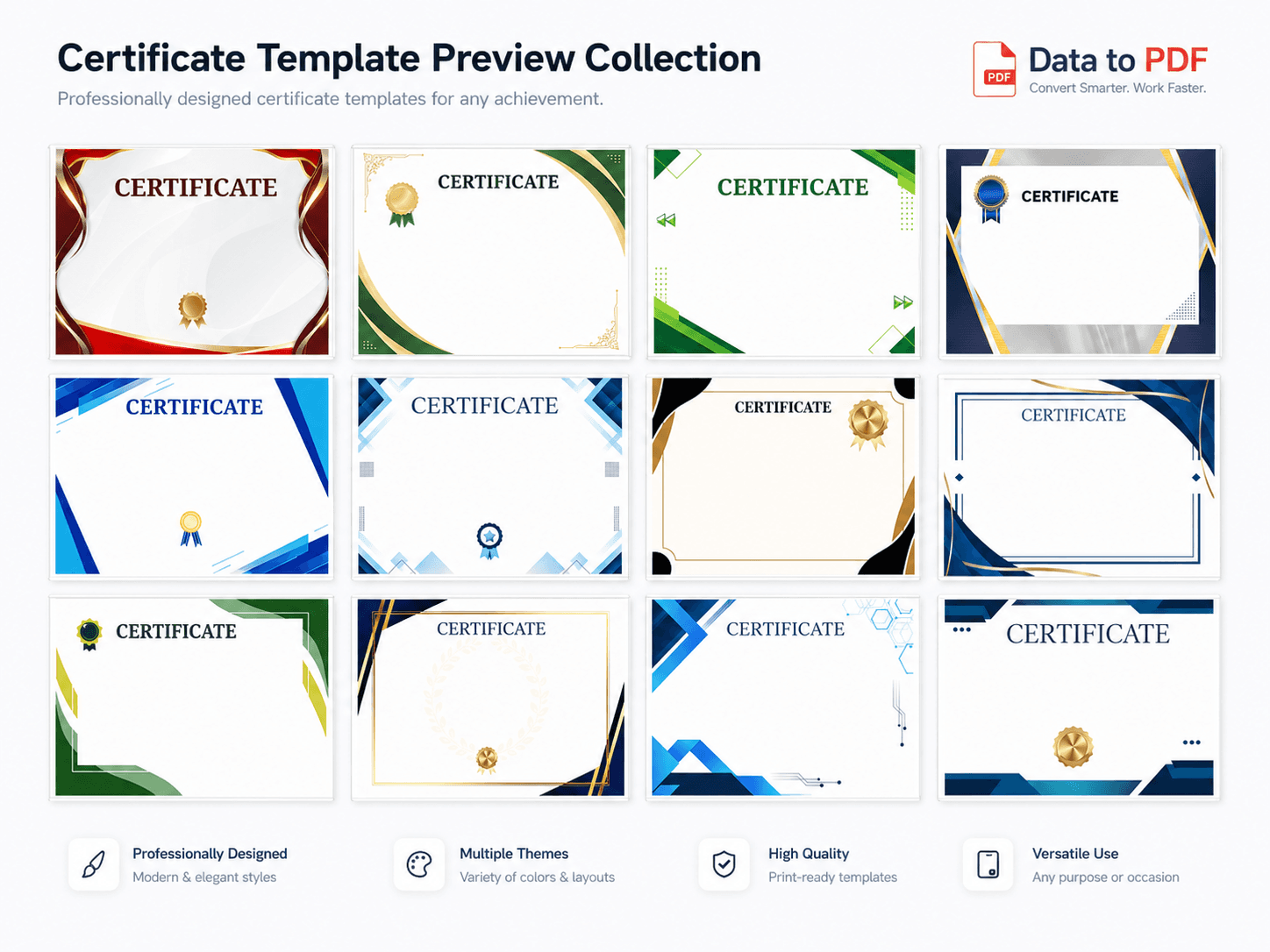
Template gallery
Choose a certificate design, download the Word file, edit the text boxes, replace the A4 background image if needed, and keep the variables you want to fill from Excel.
Editable Word certificate template. Add variables like {{Name}} and generate certificates from Excel.
Download Template
Editable Word certificate template. Add variables like {{Name}} and generate certificates from Excel.
Download Template
Editable Word certificate template. Add variables like {{Name}} and generate certificates from Excel.
Download Template
Editable Word certificate template. Add variables like {{Name}} and generate certificates from Excel.
Download Template
Editable Word certificate template. Add variables like {{Name}} and generate certificates from Excel.
Download Template
Editable Word certificate template. Add variables like {{Name}} and generate certificates from Excel.
Download Template
Editable Word certificate template. Add variables like {{Name}} and generate certificates from Excel.
Download Template
Editable Word certificate template. Add variables like {{Name}} and generate certificates from Excel.
Download Template
Editable Word certificate template. Add variables like {{Name}} and generate certificates from Excel.
Download Template
Editable Word certificate template. Add variables like {{Name}} and generate certificates from Excel.
Download Template
Editable Word certificate template. Add variables like {{Name}} and generate certificates from Excel.
Download Template
Editable Word certificate template. Add variables like {{Name}} and generate certificates from Excel.
Download TemplateManual method
If you have to create 50, 100 or 500 certificates, manually changing every name, rank, event name and date becomes boring and risky. One spelling mistake can make a certificate look careless.
Better solution
Design the certificate once in Word. Keep changing details as variables. Upload Excel data and generate all personalised certificate PDFs from the prepared records.
One Excel row = one certificate PDF.
Use variables like {{Name}}, {{Rank}} and {{Date}}.
Change layout by replacing the A4 background image.
Download all certificates together in one ZIP file.
Step-by-step guide
This workflow is simple: edit the design in Word, add variables, upload Excel data, and generate certificates in bulk.
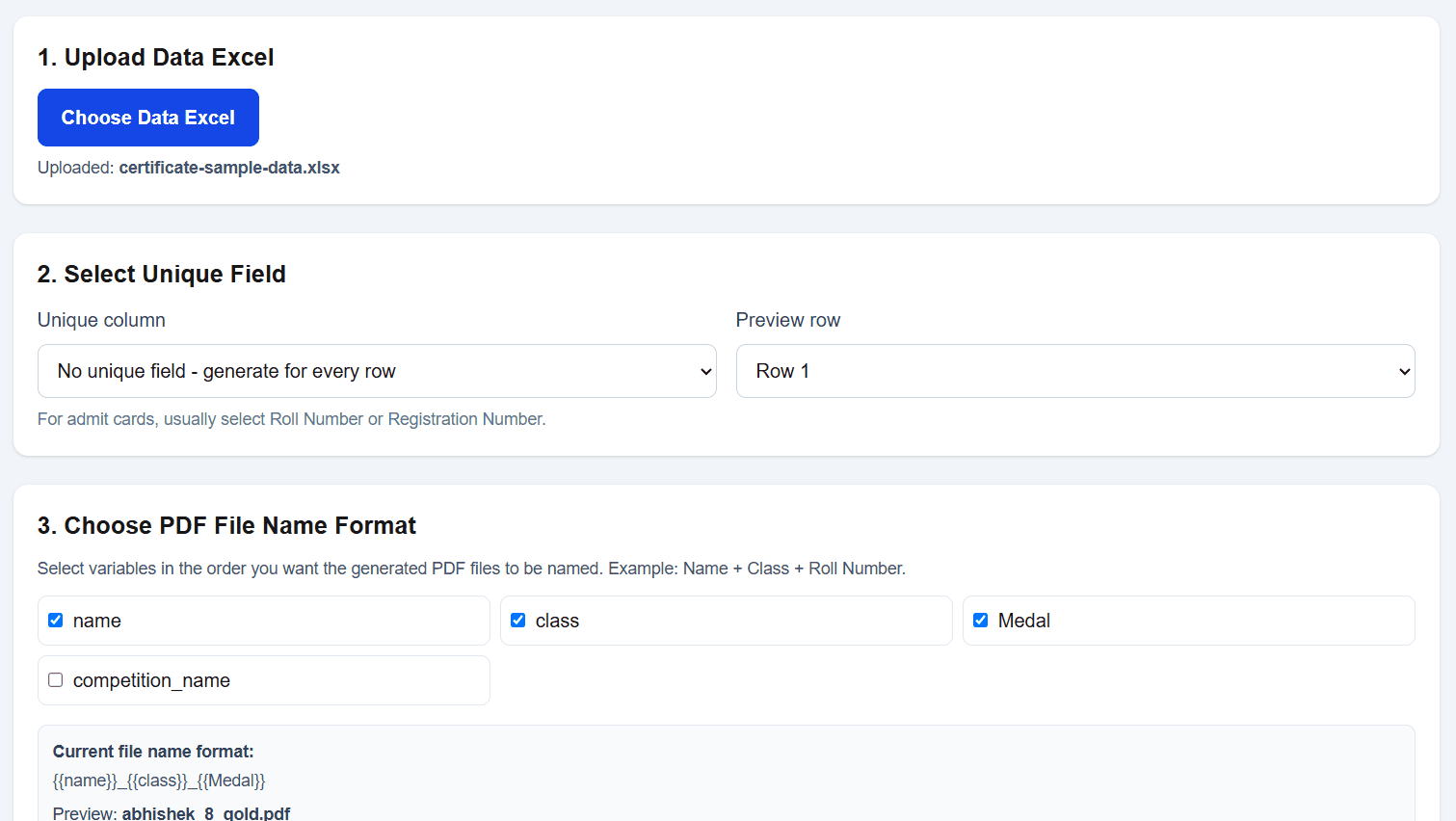
Choose any editable Word certificate template. You can use the ready-made design or customise it for your school, institute, event or competition.
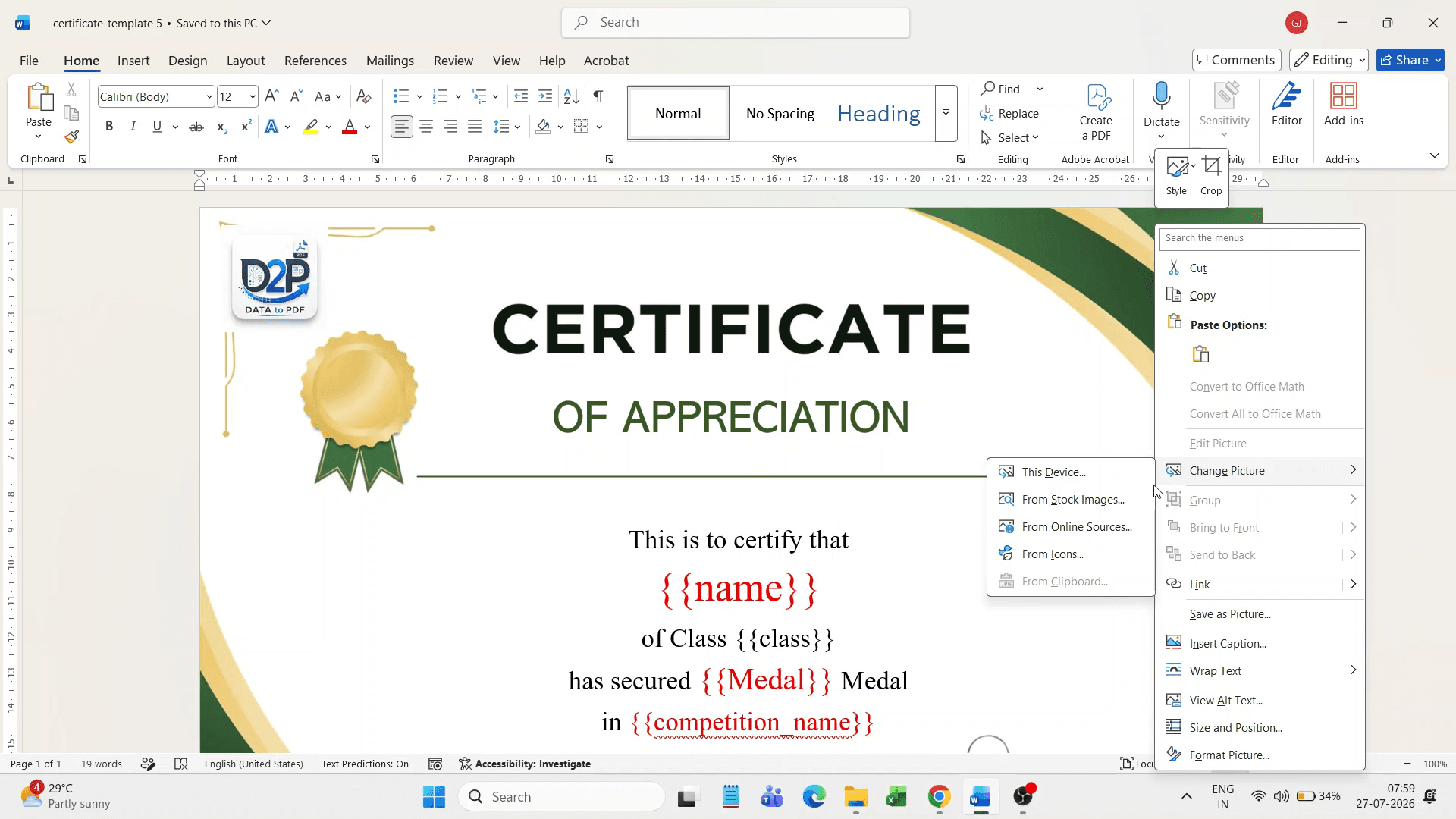
If you want a different layout, create an A4-size certificate background image and replace the existing background picture in the Word file.
Update the fixed text such as school name, event name, certificate title, signature labels and footer text directly inside Word text boxes.
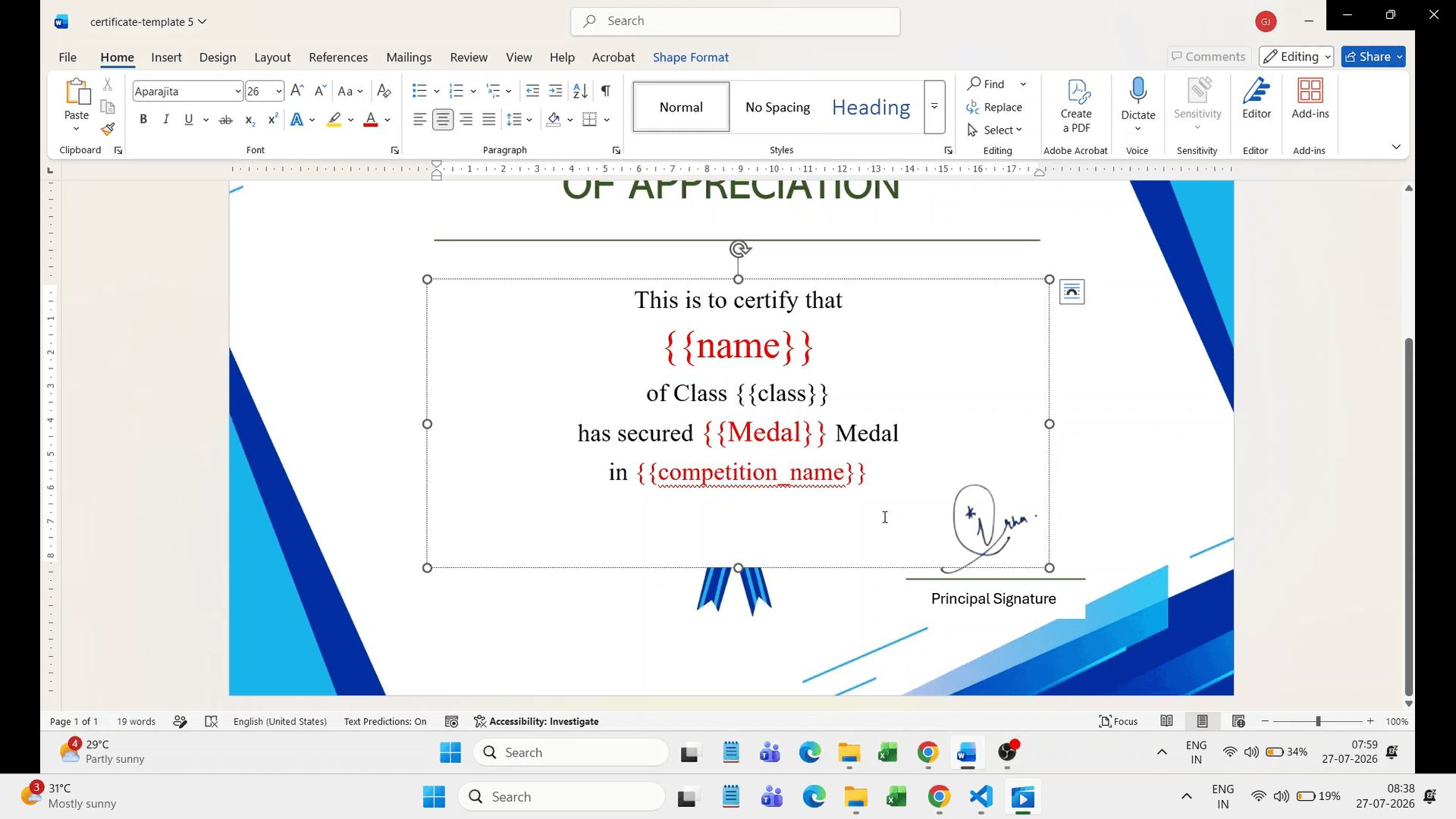
For changing fields like name, rank, class, competition name and date, add variables such as {{Name}}, {{Rank}}, {{Competition_Name}} and {{Date}}.
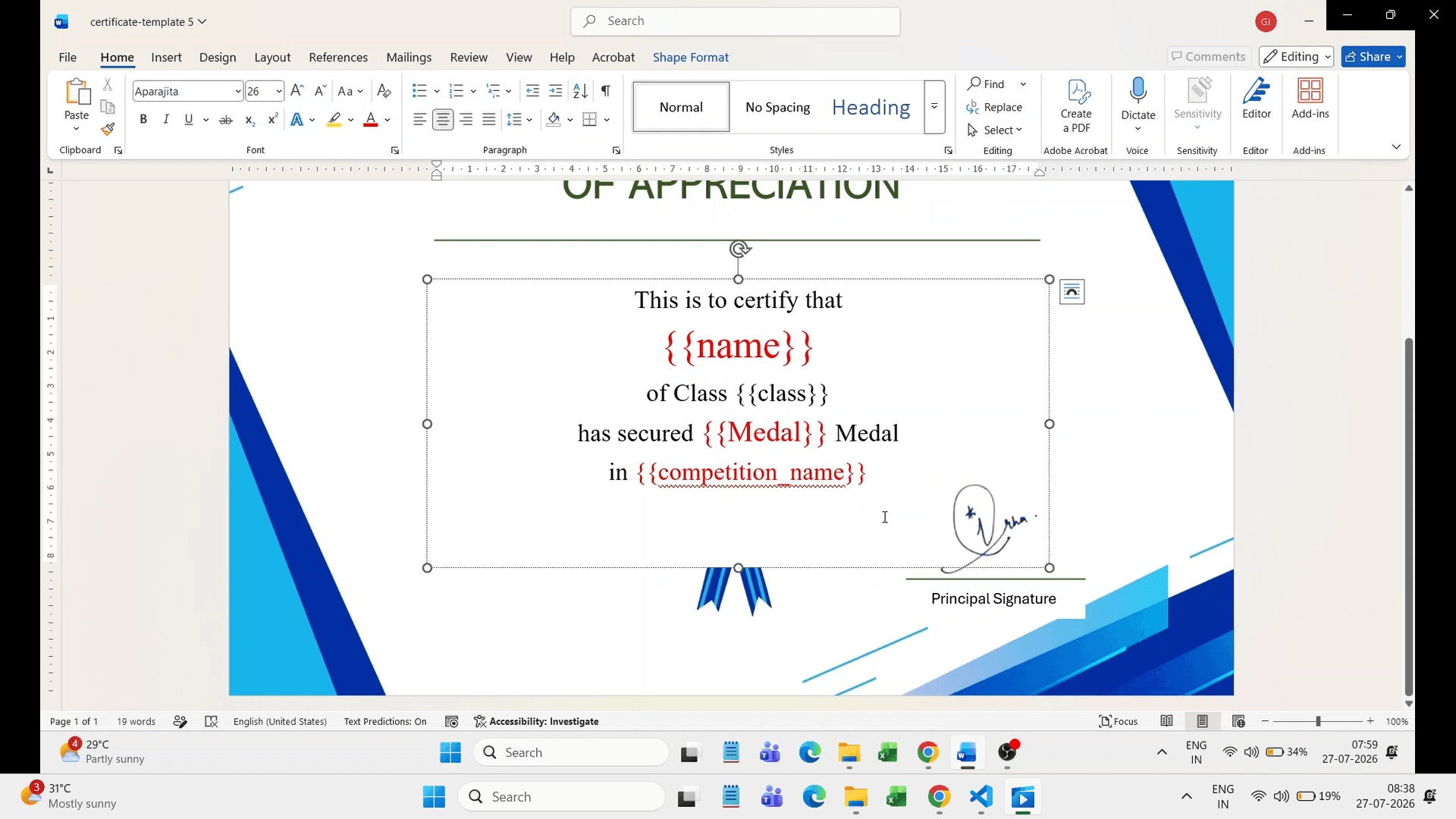
Upload your Excel or CSV data and the Word certificate template to DataToPDF. Generate personalised PDF certificates in bulk.
Variables
Fixed text can stay as normal text in the Word template. For personalised text, add variables in double curly brackets. The variable name should match your Excel column name.
NameClassSectionRoll_NoRankCompetition_NameEvent_NameCertificate_TitleDateSchool_NameTeacher_NamePrincipal_NameRemarks{{Name}}{{Rank}}{{Competition_Name}}{{Date}}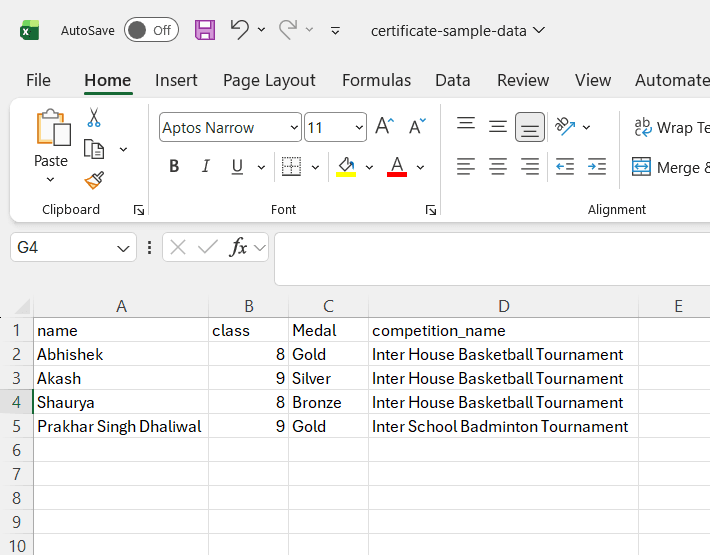
Use cases
Any certificate where the layout stays the same but names, ranks, event details or dates change can be generated in bulk.
Create certificates for competitions, annual functions, academic achievements, attendance, sports and activities.
Generate participation, rank, test-series, topper and scholarship certificates from Excel data.
Prepare seminar, workshop, participation, merit and completion certificates in bulk.
Generate certificates for debates, quizzes, Olympiads, art competitions, cultural events and sports meets.
Create training completion, employee recognition, internship and appreciation certificates.
Generate customer appreciation, course completion, participation and award certificates using reusable templates.
Benefits
The main benefit is simple: make your certificate design once, then generate hundreds of personalised certificates without manual editing.
Download editable Word certificate templates.
Change background image to create your own certificate style.
Edit fixed text directly in Word text boxes.
Use variables like {{Name}}, {{Rank}} and {{Competition_Name}}.
Generate one personalised certificate PDF for every row in Excel.
Download all generated certificates together in one ZIP file.
Reuse the same certificate template for future events.
Visit the DataToPDF YouTube channel for product walkthroughs and guidance on preparing templates for bulk PDF generation.
Frequently asked questions
Yes. You can use an editable Word certificate template with variables such as {{Name}}, {{Rank}}, {{Competition_Name}} and {{Date}}. DataToPDF replaces those variables using your Excel or CSV data.
Create an A4-size certificate background image and replace the existing background picture inside the Word template. Then edit the text boxes as needed.
Add a Name column in your Excel file and place {{Name}} inside the certificate template where the student name should appear.
Yes. If your Excel file has 100 rows, DataToPDF can generate 100 personalised certificate PDFs using the same Word template.
Yes. Add columns such as Rank and Competition_Name in your Excel file, then use {{Rank}} and {{Competition_Name}} in the Word certificate template.
Yes. DataToPDF creates separate PDFs and lets you download all generated certificates together in one ZIP file.
Yes. You can use your own Word template. Just add variables in double curly brackets wherever personalised data should appear.
Yes. Manual certificate editing takes time and can create spelling or data errors. DataToPDF uses your Excel data directly to generate certificates faster and more consistently.
Related resources
Choose appropriate categories, wording and templates for contributors, volunteers, speakers, team members and winners.
Manage attendee records, spelling corrections, missing files and resends after a webinar, workshop or conference.
Organise participant and course records for a recurring training-centre certificate workflow.
Prepare certificate data, variables and verification checks before generating PDFs.
Learn how to create separate PDFs from Excel without complex mail merge steps.
Create personalised admit cards and hall tickets from student data.
Generate student report cards and marksheets from Excel data.
Generate student fee receipt PDFs from Excel data.
Ready to save certificate-making time?
Upload your Excel data and Word certificate template. DataToPDF will create personalised certificate PDFs for every row.