Step-by-step guide for schools and institutes
How to Create 100 Admit Cards from Excel
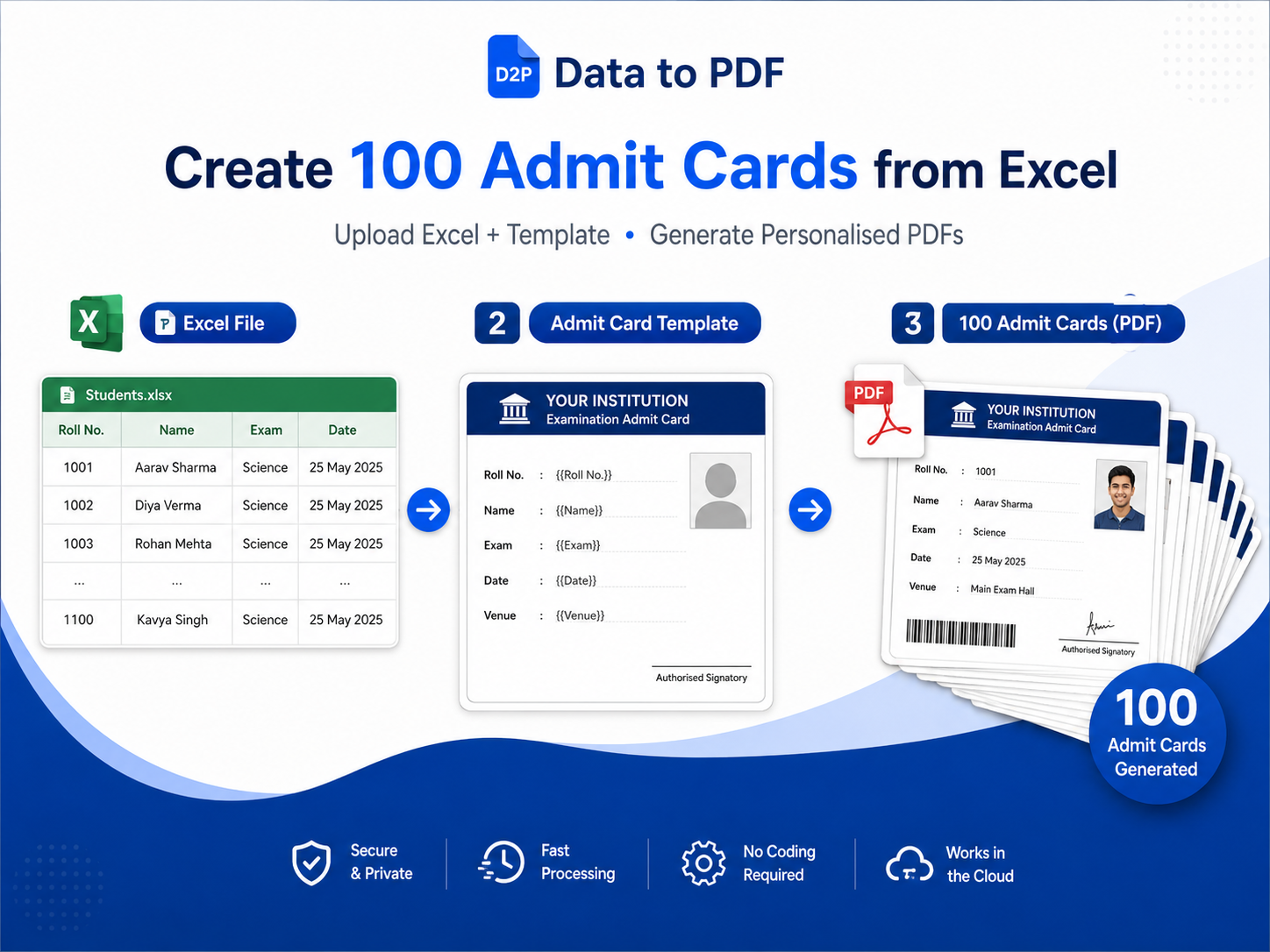
Making admit cards manually for every student is slow and risky. In this guide, you will learn how to use one Excel or CSV file and one admit card template to generate 100 personalised PDFs with DataToPDF.
Best for schools, coaching institutes, colleges, exam teams, admin staff and office users.
Quick answer
Can you really create 100 admit cards from one Excel file?
Yes. You need two files: one Excel or CSV file with student data and one Word or Excel admit card template. DataToPDF reads the student data, replaces variables inside the template and creates separate PDF admit cards for all students.
Simple formula
Excel Student Data + Admit Card Template = Bulk Personalised PDFs
The common problem
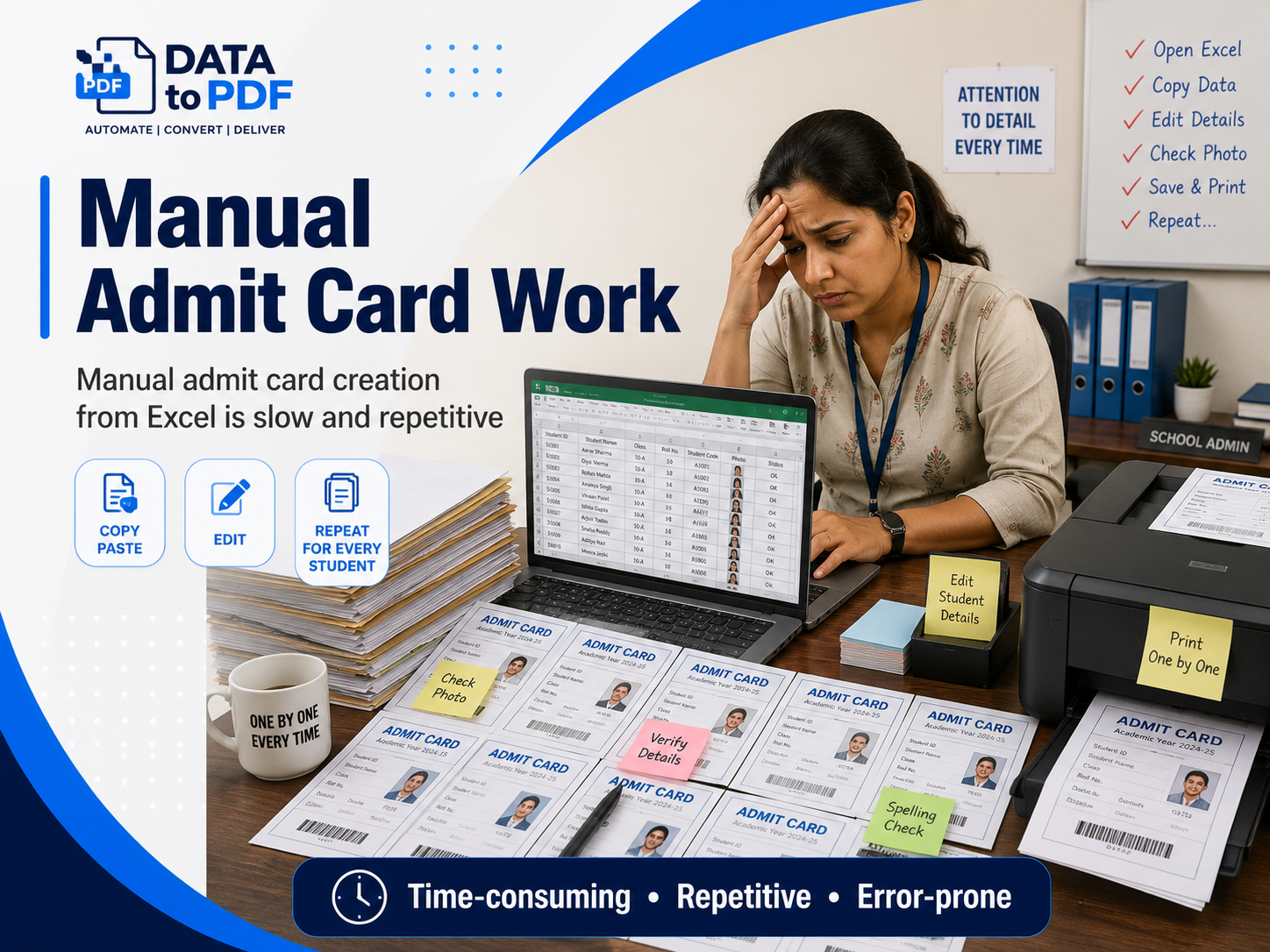
Manual admit card creation becomes painful very quickly
Creating 5 admit cards manually may be manageable. But when you have 100 students, 500 students or multiple classes, it becomes repetitive and error-prone.
- • Copying names one by one takes time.
- • Roll number mistakes can create exam-day confusion.
- • Saving and renaming every PDF manually is boring.
- • Last-minute changes force the team to repeat work.
- • School and coaching admin teams already have enough work during exams.
Before you start
Prepare your Excel data in the right format
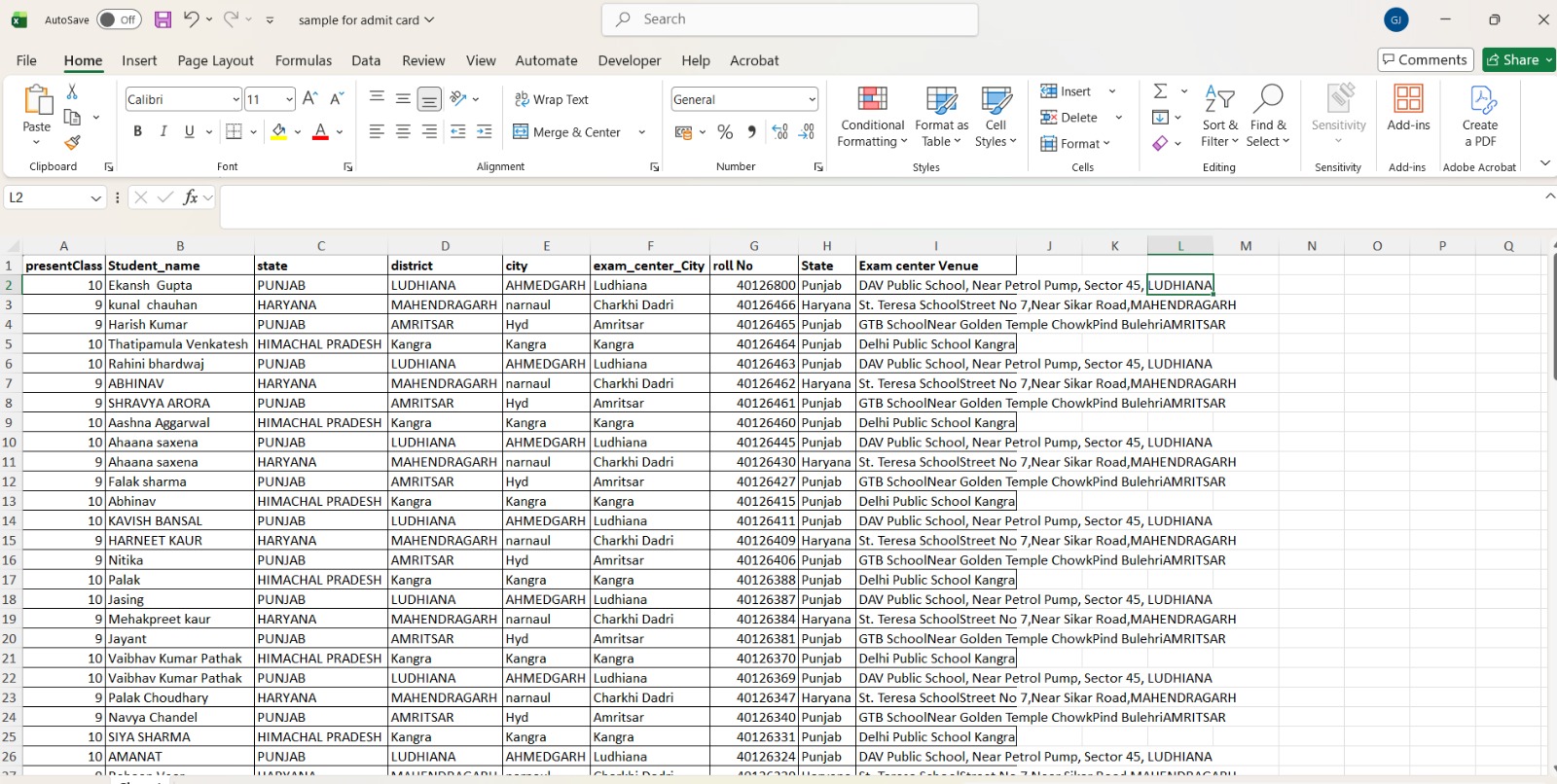
Your Excel file should have one row for each student. The first row should contain column names. These column names will become variables inside your template.
| student_name | father_name | class | section | roll_number | registration_number |
|---|---|---|---|---|---|
| Aarav Sharma | Rajesh Sharma | 10 | A | 25 | REG1001 |
| Riya Verma | Mohit Verma | 10 | A | 26 | REG1002 |
| Kunal Mehta | Sandeep Mehta | 10 | B | 27 | REG1003 |
Tip: Keep column names simple. Use names like student_name instead of long headings like Name of Student as per School Record.
Step-by-step process
How to create 100 admit cards from Excel
Follow these steps once. After that, you can reuse the same process for every exam, batch, class or test series.
Create your Excel student data file
Add one student per row. Keep columns such as student_name, class, roll_number, exam_date, reporting_time and exam_centre.
Prepare your admit card template
Use a Word or Excel template and add variables like {{student_name}}, {{class}}, {{roll_number}} and {{exam_centre}}.
Upload both files to DataToPDF
Upload your Excel or CSV data file and your admit card template on the DataToPDF upload page.
Check the variable matching
Make sure the template variables match your Excel column names. For example, {{student_name}} should match the student_name column.
Generate and download PDFs
Generate personalised admit cards and download all files together in one ZIP.
Example template variables
In your Word or Excel admit card template, write variables exactly like your Excel column names.
{{student_name}}{{father_name}}{{class}}{{section}}{{roll_number}}{{registration_number}}{{exam_name}}{{exam_date}}{{reporting_time}}{{exam_centre}}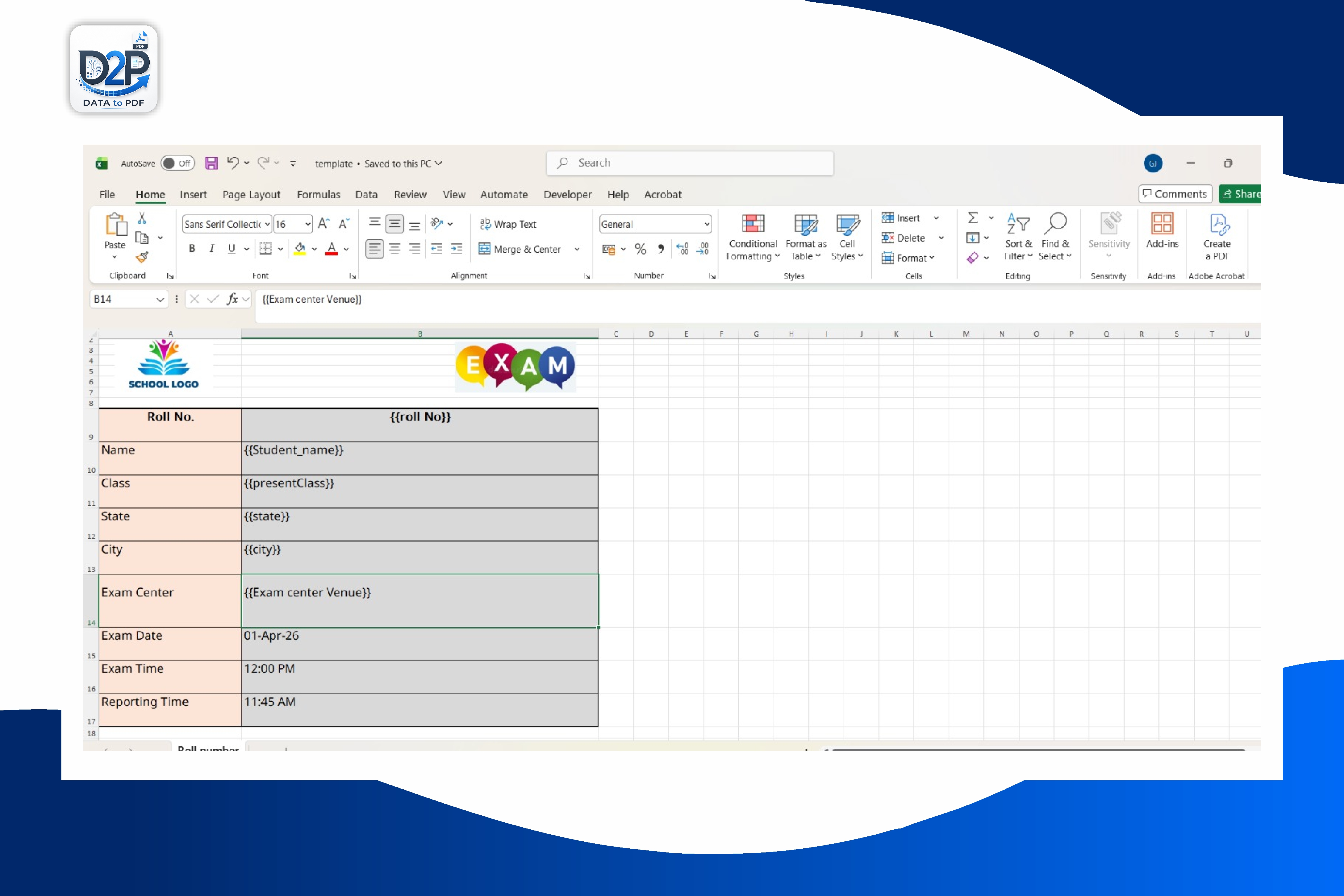
Download files
Download a sample admit card template and Excel data
Use these sample files to understand the format. You can replace the school name, logo, exam details and student fields with your own design.

Why not do it manually?
DataToPDF is faster than copy-paste and simpler than manual mail merge
The main benefit is not only speed. It also helps you reduce mistakes and reuse the same template again and again.
Generate one PDF for each student row.
Use Word or Excel templates with variables.
Download all admit cards in one ZIP file.
Avoid manual renaming and repetitive editing.
Reuse the same template for future exams.
Works for schools, colleges and coaching institutes.
Tutorial video
Watch the complete admit card generation process
Add your YouTube tutorial here to show users how to upload data, upload the template and download personalised admit cards.
FAQs
Questions about creating admit cards from Excel
Can I create 100 admit cards from one Excel file?+
Yes. If your Excel file has 100 student rows, DataToPDF can create one personalised admit card PDF for each row using your Word or Excel template.
Do I need to use Word mail merge?+
No. You can use DataToPDF as a simpler alternative. Upload your Excel or CSV file, upload your template, and generate individual PDFs without manually managing mail merge.
Can I use a Word template for admit cards?+
Yes. You can design the admit card in Word and add variables such as {{student_name}}, {{class}}, {{roll_number}} and {{exam_date}}.
Can I use an Excel template instead of Word?+
Yes. DataToPDF supports Excel templates too. This is useful when your admit card layout is already made in Excel.
Can I generate one PDF per student?+
Yes. DataToPDF creates separate PDF files for each student row and gives you a ZIP download.
What should be included in the student data sheet?+
Common columns include student_name, father_name, class, section, roll_number, exam_name, exam_date, reporting_time and exam_centre.
Is this useful for coaching institutes?+
Yes. Coaching institutes can use it for mock tests, test series, scholarship tests, Olympiads and entrance exam batches.
Related resources
Continue with templates and related guides
Bulk Admit Card Generator from Excel
Main template page with downloads and step-by-step product workflow.
Browse DataToPDF Templates
Find templates for admit cards, certificates, salary slips, invoices, receipts and more.
DataToPDF Pricing
Check plans and credits for bulk PDF generation.
Generate PDFs Now
Upload your Excel data and template to create personalised PDFs.
Mail Merge Alternative for Bulk PDF Generation
Learn how to generate separate personalised PDFs without a complex mail merge workflow.
Better Mid-Term Result Presentation
See how clearer report cards and personalised result PDFs can improve student and parent satisfaction.
Prepare Certificates in Bulk from Excel
Learn how to structure approved recipient data and match it with certificate template variables.
Final step
Ready to generate 100 admit cards from Excel?
Upload your student data and admit card template. DataToPDF will create personalised PDFs for every student.