Manual entry errors
A wrong mark, percentage or grade can create confusion for students and parents.
Excel / CSV Marks Data → Personalised Report Card PDFs
Create personalised student report cards, marksheets and result PDFs from Excel or CSV data. Upload student marks, use your report card template, and generate bulk PDFs with DataToPDF.
Quick answer
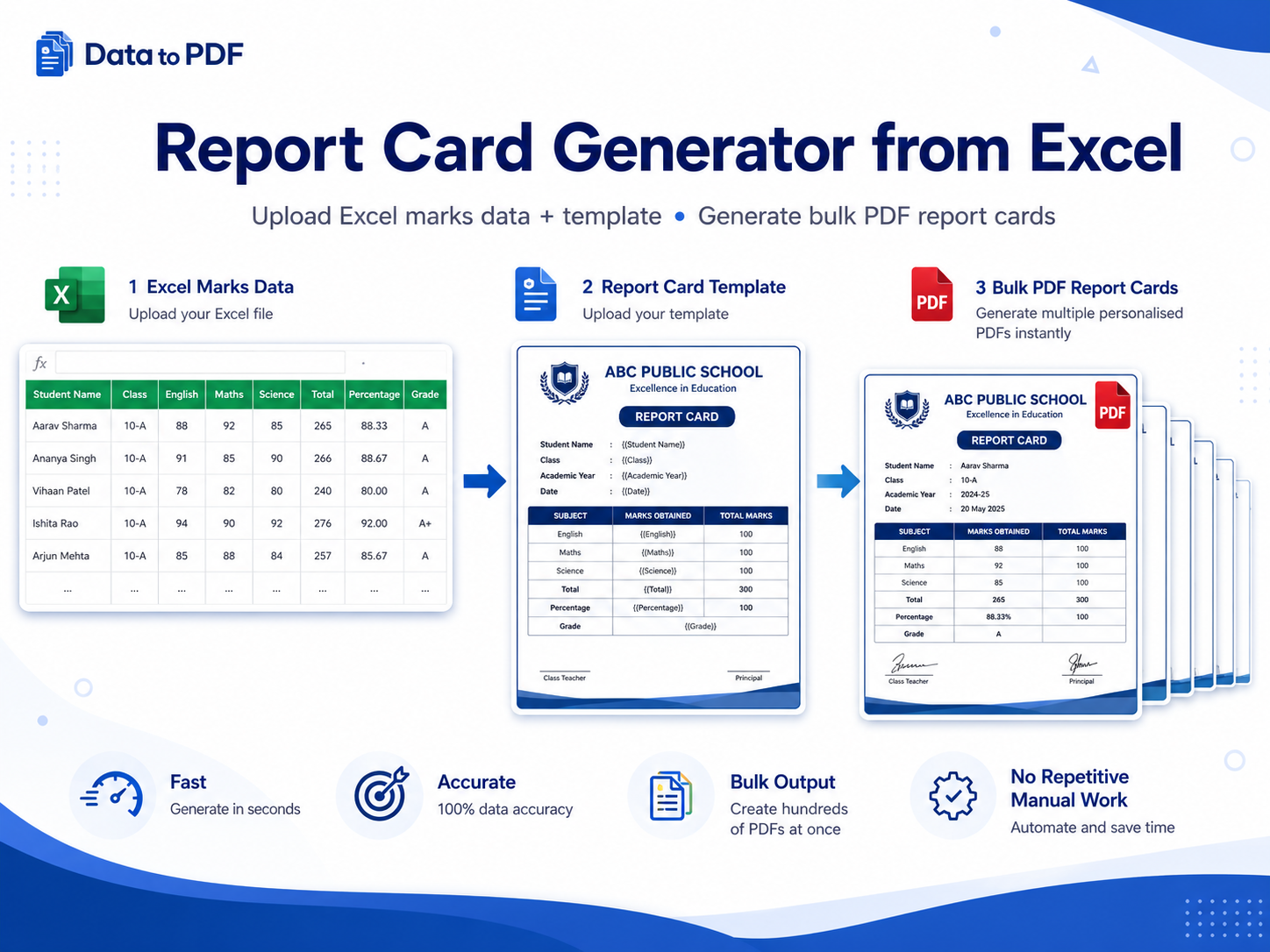
Prepare an Excel or CSV file with one row per student. Add columns for student details, marks, total, percentage, grade and remarks. Then create a report card template with variables like {{student_name}}, {{maths}}, {{total_marks}} and {{grade}}. DataToPDF replaces the variables and creates individual PDF report cards.
The real problem
During exam result time, schools and coaching institutes already have a lot to manage. Manually copying marks, calculating totals, entering grades and saving PDFs one by one can easily lead to mistakes.
A wrong mark, percentage or grade can create confusion for students and parents.
Creating report cards one by one takes hours when you have multiple classes and sections.
If marks or remarks change, the whole PDF creation process often has to be repeated.
Manual method
Many teams prepare marks in Excel, then manually copy the details into a report card format. This works for a few students, but becomes difficult for 100, 500 or 1000 report cards.
Better solution
DataToPDF lets you keep all marks in Excel and all design in one report card template. It combines both files and generates personalised report card PDFs automatically.
One student row = one personalised report card PDF.
Use subject marks, total, percentage, grade and remarks.
Keep your school logo, format and layout in the template.
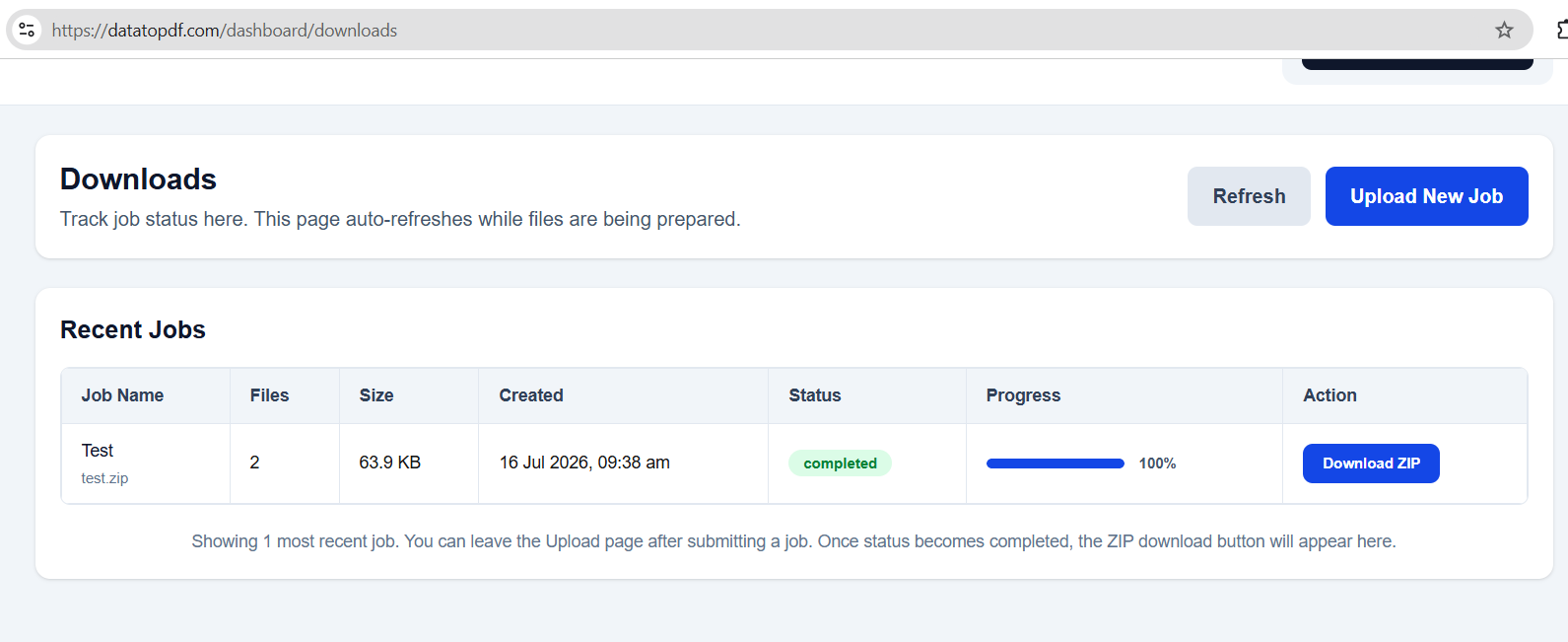
Download all report cards together in one ZIP file.
Step-by-step guide
Use this workflow for school results, coaching test-series results, marksheets, progress cards and student performance reports.
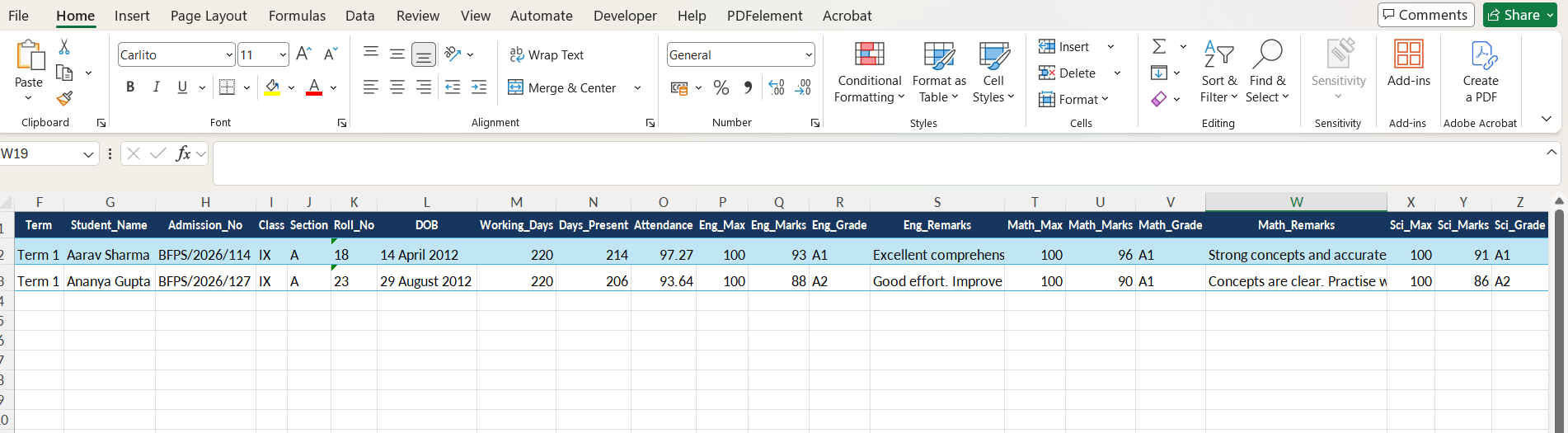
Create one row for each student. Add columns for student details, subjects, marks, total, percentage, grade, result and teacher remarks.
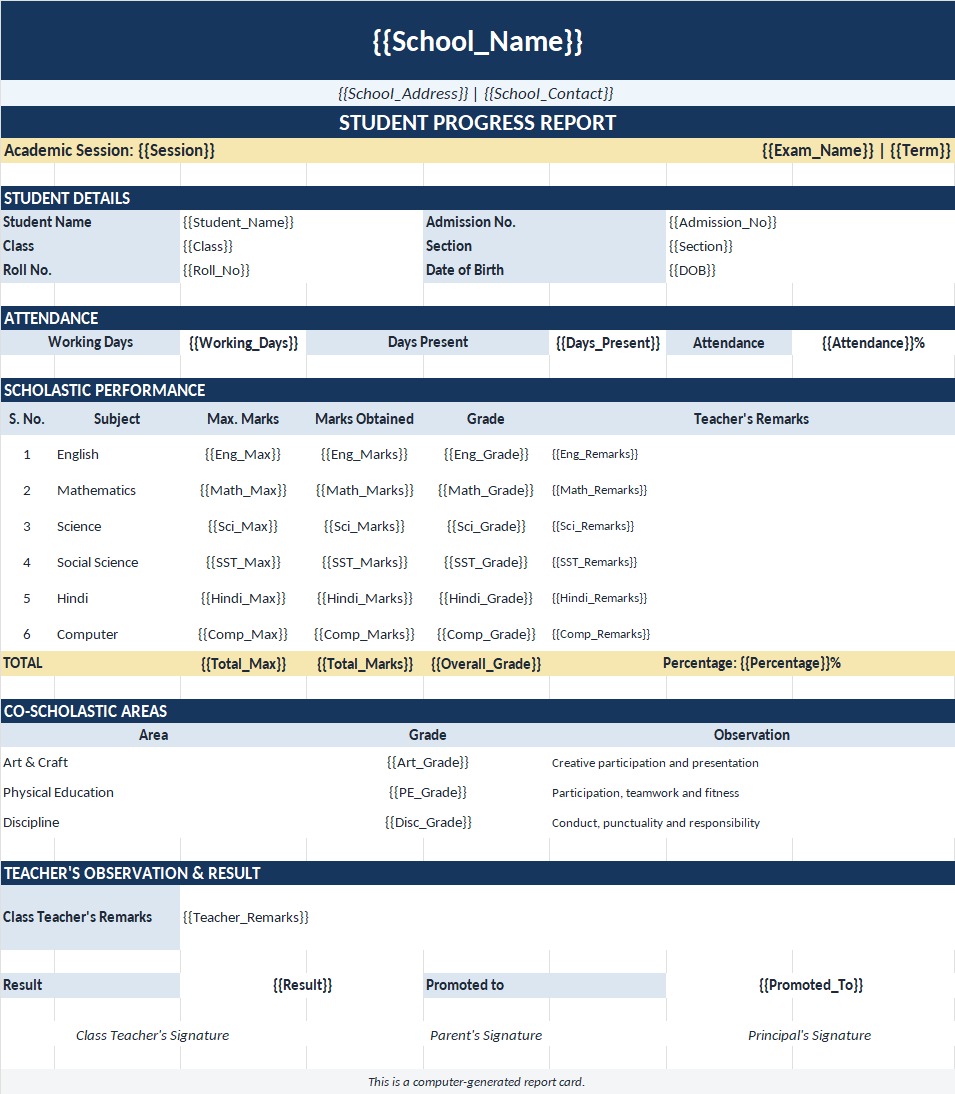
Design your report card or marksheet in Excel or Word. Add variables such as {{student_name}}, {{class}}, {{maths}}, {{science}}, {{total_marks}} and {{grade}}.
Upload your Excel or CSV student marks file and your report card template to DataToPDF.
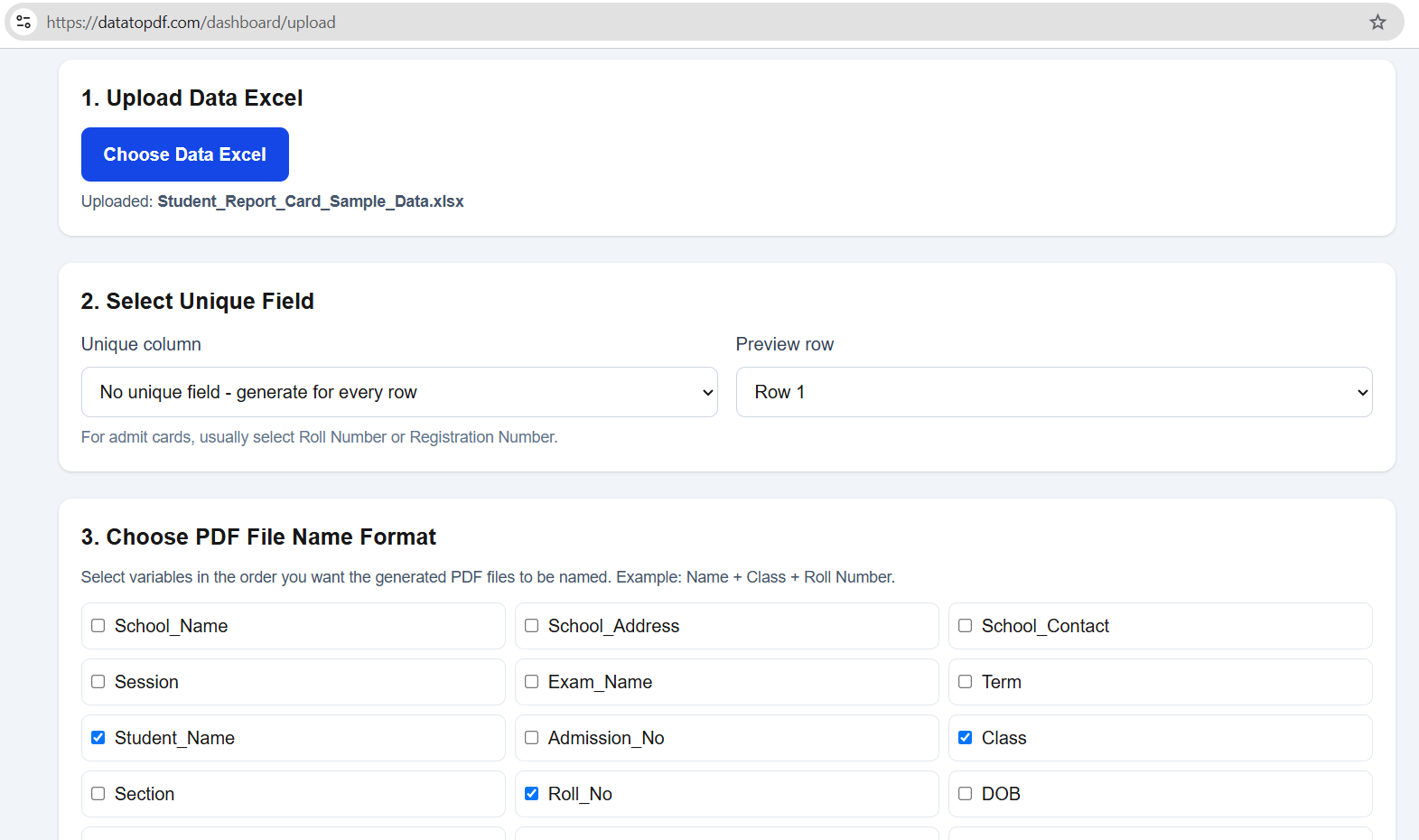
Check that all variables match your Excel column names. Then generate one personalised PDF report card for every student.
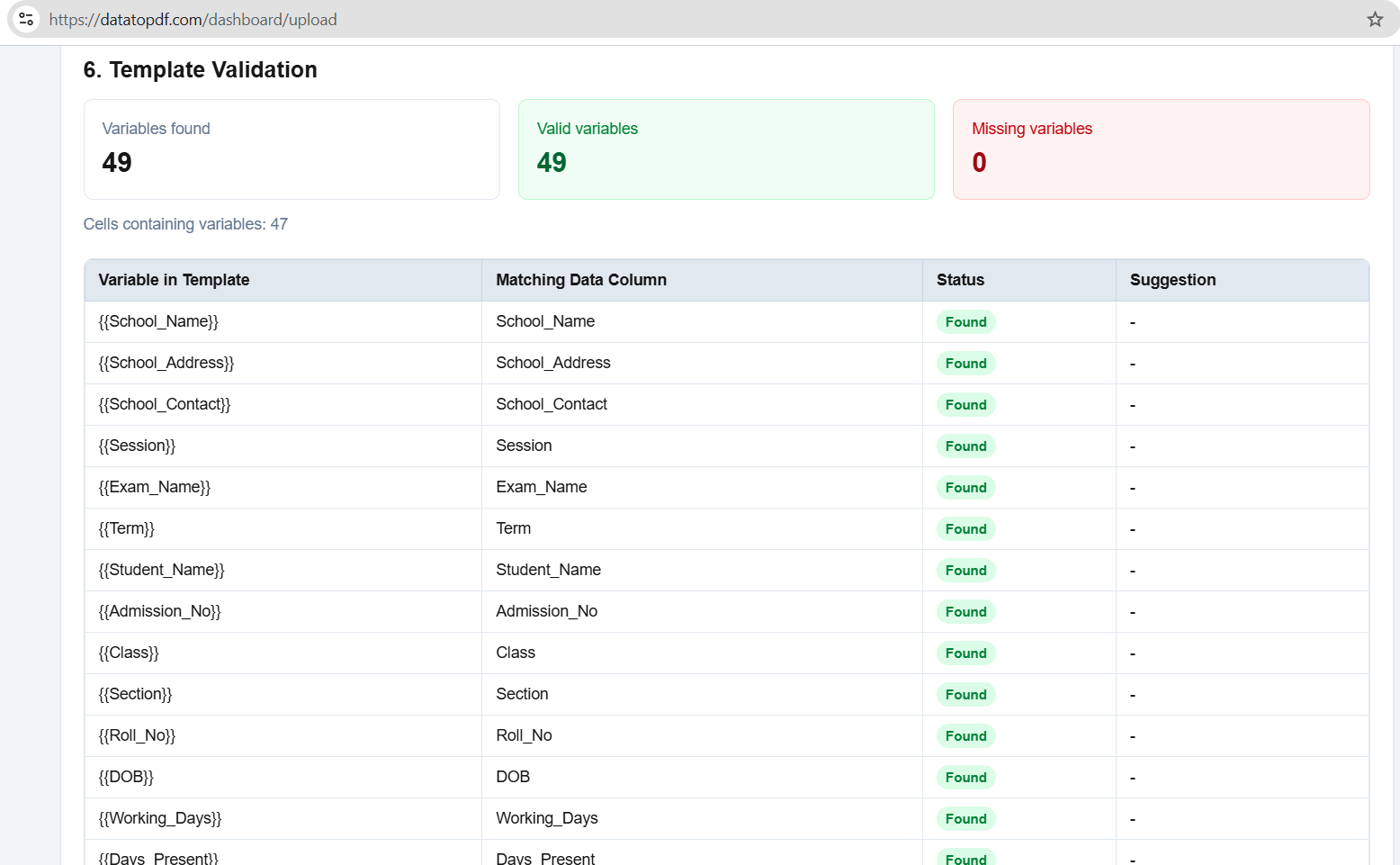
Download all generated report cards together in one ZIP file. Use student names, roll numbers or admission numbers for file names.
Downloadable template
Download the sample report card template and Excel marks data. Replace the school name, logo, subjects, grading style and remarks format with your own design.
student_namefather_nameclasssectionroll_numberadmission_numberenglishmathssciencesocial_sciencetotal_markspercentagegraderesultteacher_remarks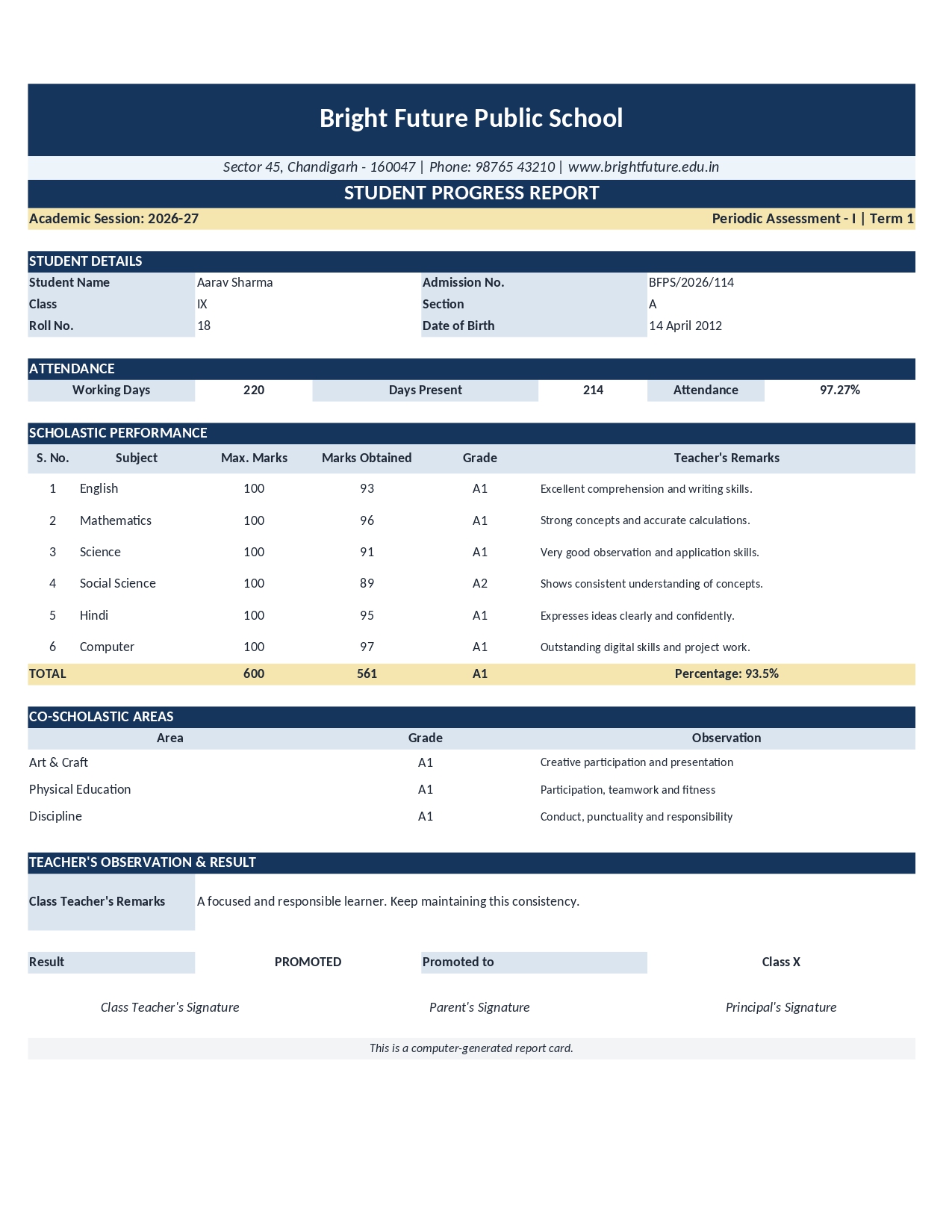
Use cases
Any academic document that uses student data and marks can be generated from Excel using the same template-based workflow.
Generate term-wise, annual, unit test and monthly report cards for every class and section.
Create test-series marksheets, batch-wise result cards and mock-test performance reports.
Prepare clean marksheet PDFs with subject-wise marks, grades, total marks and percentage.
Generate student progress reports before PTMs with marks, attendance and remarks.
Create result PDFs for Olympiads, scholarship tests, entrance tests and internal assessments.
Use the same Excel-to-template workflow for certificates, admit cards and performance slips.
Benefits
The goal is simple: keep your marks in Excel, keep your design in a template, and avoid repetitive result-card work every exam cycle.
Create one PDF report card for every student row in your Excel file.
Avoid manual copy-paste of marks, grades, percentages and remarks.
Use your own school or coaching institute report card design.
Reuse the same report card template for every exam or term.
Download all generated report cards together in one ZIP file.
Works with Excel or CSV data and Word or Excel templates.
Video tutorial
Add your YouTube tutorial here to show the complete workflow: upload marks data, upload template, preview variables, generate PDFs and download the ZIP file.
Frequently asked questions
Yes. You can upload an Excel or CSV file with student marks and use a Word or Excel report card template. DataToPDF will generate one personalised report card PDF for every student row.
Yes. DataToPDF creates separate PDF files for each row in your uploaded data. You can download all generated report cards together in a ZIP file.
Yes. If your school already maintains report card layouts in Excel, you can add variables to the template and use it with DataToPDF.
Yes. You can also design the report card in Word and add variables such as {{student_name}}, {{class}}, {{total_marks}}, {{percentage}} and {{grade}}.
Common columns include student_name, class, section, roll_number, subject marks, total_marks, percentage, grade, result and teacher_remarks.
Yes. Add a teacher_remarks column in your Excel file and place {{teacher_remarks}} in your template where you want the remark to appear.
Yes. You can keep class and section columns in your data. You can generate all report cards together or prepare separate files class-wise.
Yes. Coaching institutes can use this workflow for mock tests, test series, scholarship tests, batch results and student performance reports.
Related resources
Prepare reviewed class data when the school does not use an ERP.
Plan controlled branch files, templates and review steps for larger batches.
Turn prepared class rows into correctly named, individually reviewed report card PDFs.
Keep the approved design and personalise its changing fields for an entire class.
Decide when focused document generation is enough and when an ERP is more suitable.
Ready to save result-preparation time?
Upload your marks data and report card template. DataToPDF will create personalised PDF report cards for every student.